
A clear starting point for beginners
Visual instruments, clearly arranged results and file previews help you find your way around. Start with the system overview, explore the findings and choose the next maintenance step at your own pace.
Understand performance. Use resources wisely.
TN Care is our Windows software for system diagnostics, PC maintenance, network analysis and local endpoint monitoring. Understand system load, identify resource-heavy applications and keep important services in view. Developed by TNSystem and available to you free of charge.
Further languages are planned.
Whether you want a clearer picture of your home PC or need technical details for a diagnosis, TN Care brings an accessible overview and in-depth information into one application.
Visual instruments, clearly arranged results and file previews help you find your way around. Start with the system overview, explore the findings and choose the next maintenance step at your own pace.
Detailed hardware identification, supported sensor readings, process and drive activity, network quality and measurement histories provide a basis for closer analysis. This helps with troubleshooting, maintenance and preparing a hardware upgrade.
Explore the interface with actual application screenshots.
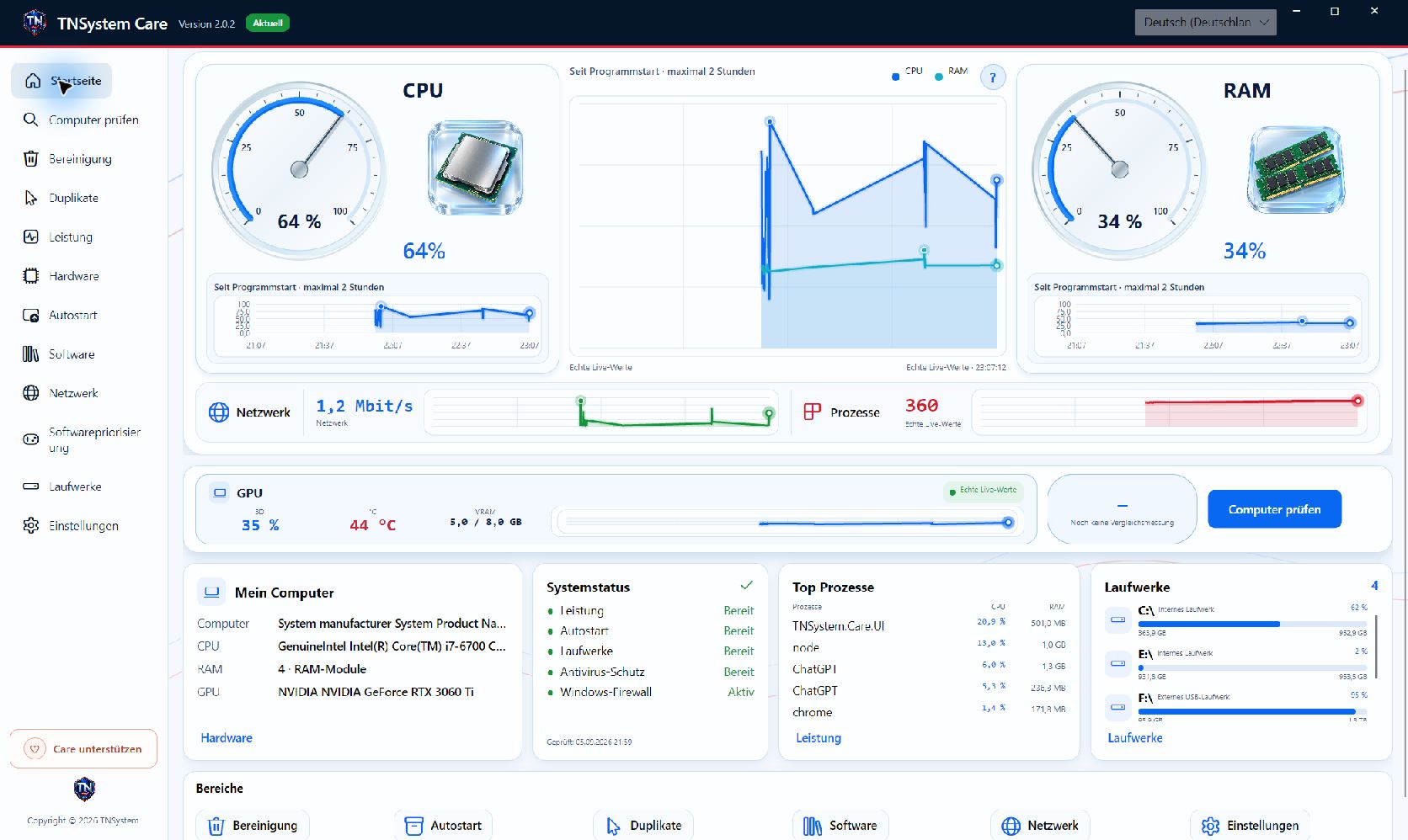
The dashboard brings live CPU and memory instruments, GPU readings, network traffic, processes and drive activity into one clear view. Follow changes over time and identify resource-heavy applications before choosing your next step.
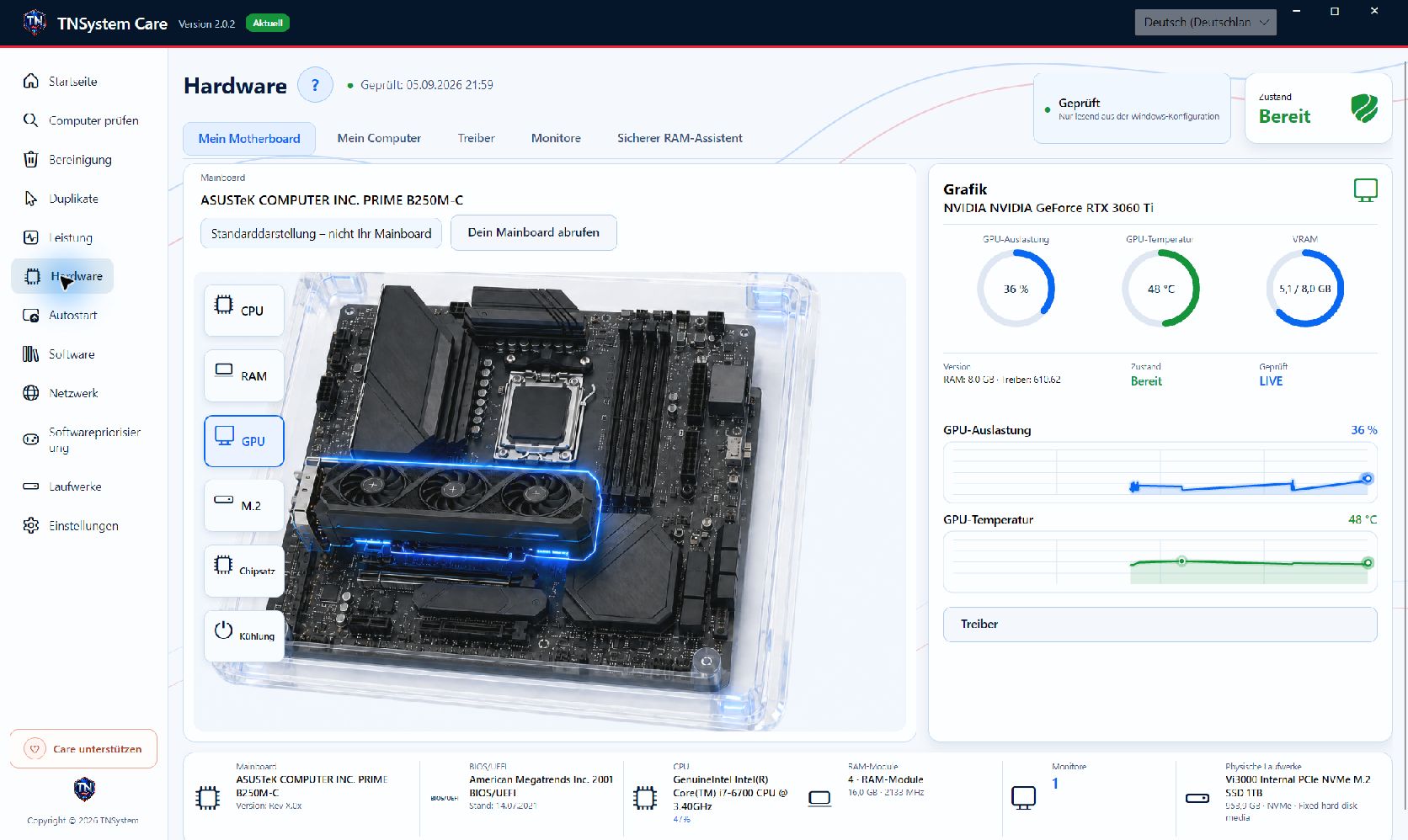
TN Care takes a detailed look at the components in your PC: mainboard model, processor, memory, graphics, drives, BIOS, drivers and monitors. Component information and available diagnostic readings help you prepare an upgrade, investigate a problem and describe the system precisely.
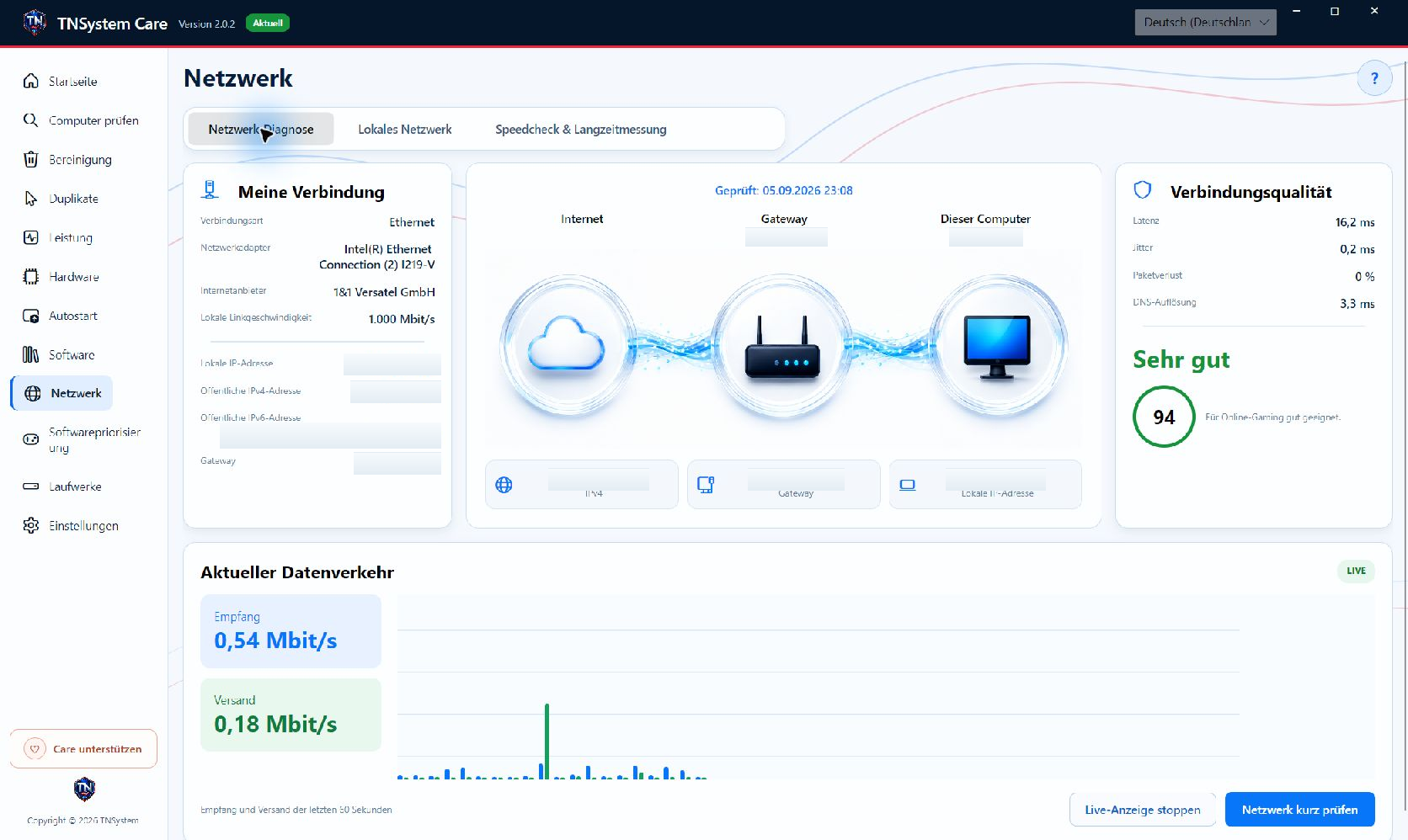
Is the connection slow, unstable or simply busy? TN Care combines adapter information and live traffic with latency, jitter, packet loss and DNS checks. The Internet–gateway–computer diagram makes the connection easier to follow.
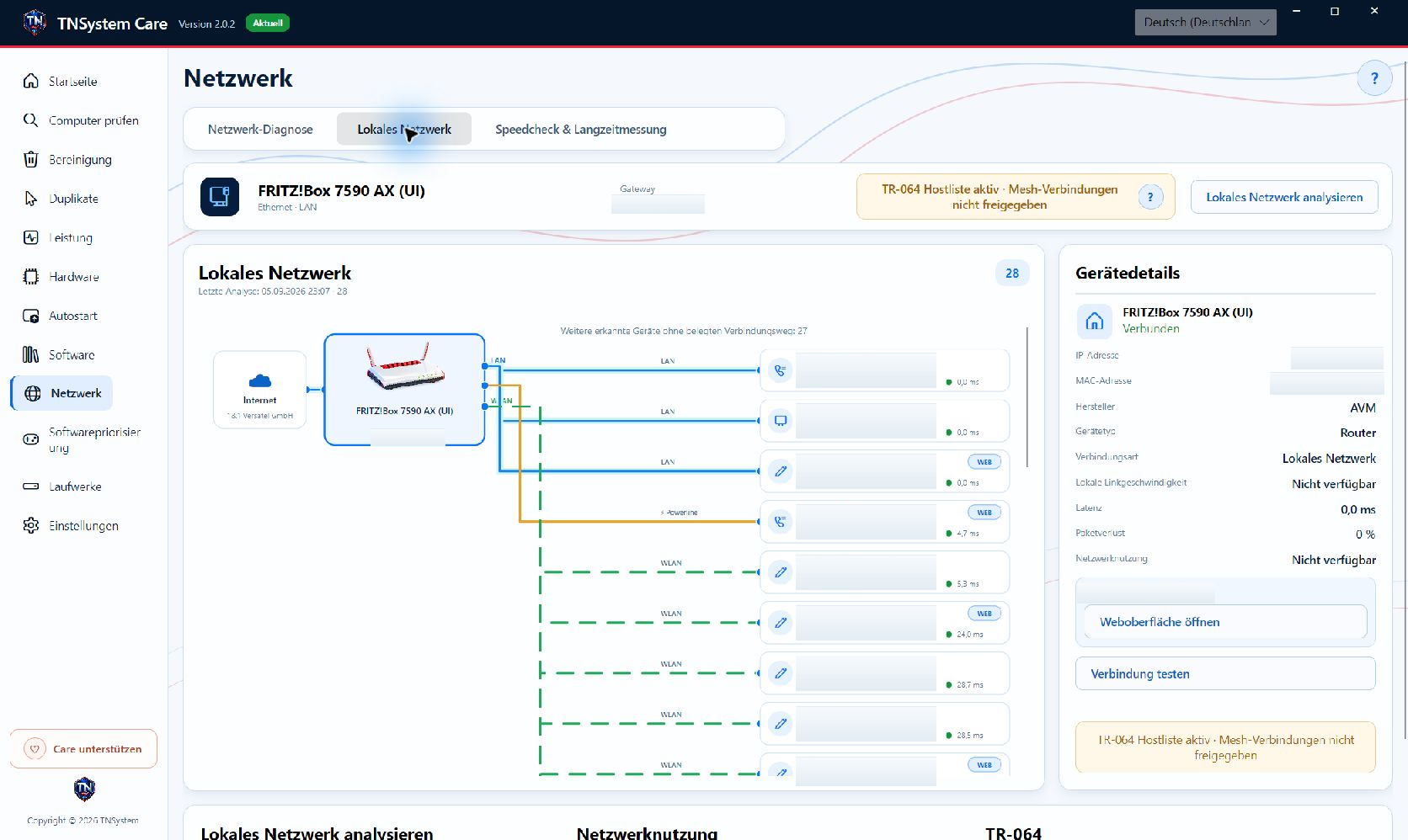
The visual network view makes devices and available connection paths easier to follow. LAN, Wi-Fi and Powerline are visually distinguished. With a supported router and access permission, Mesh information adds further detail to the overview. Inspect reachable devices, test connections and open detected web interfaces directly.
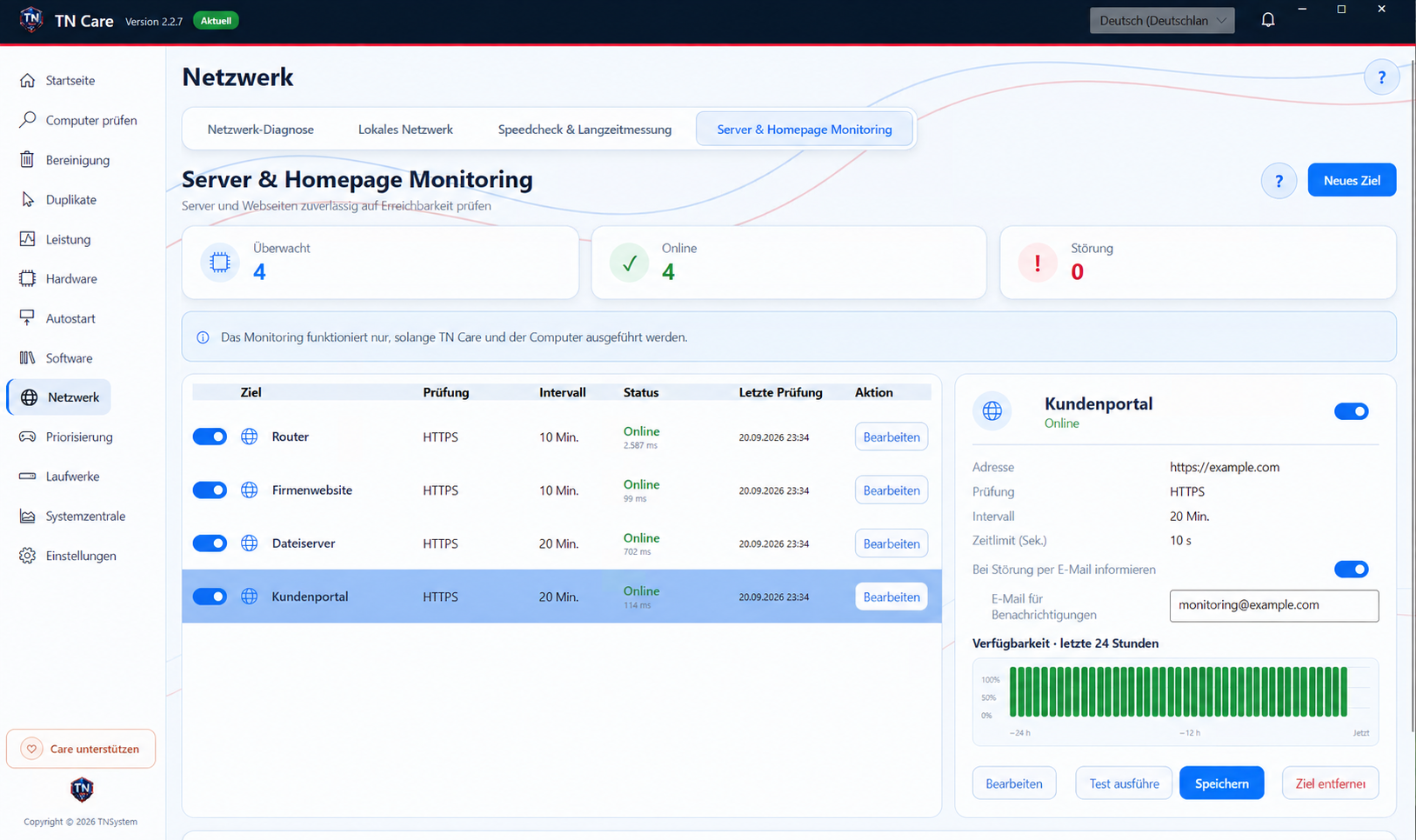
TN Care server and website monitoring automatically checks servers, websites and network services at intervals you define. Outages are reliably logged; if you wish, TN Care can email you when a disruption is detected and again when service is restored.
Review the results, choose an action and keep track of what changed. These tools help with everyday maintenance and a closer investigation of problems.
Analyse cleanup categories, review the file preview and select what to remove, including the thumbnail cache. You decide which suggested actions to apply.
Search selected locations for duplicate files and move selected entries to quarantine. In settings, restore entries or confirm their removal and configure retention.
Review capacity, usage, supported technical data and read/write activity for internal, USB and network drives. Run file-system checks and appropriate optimisation for local media. SMART data requires a supported interface; network drives are not optimised locally.
Search and filter installed software, confirm uninstallations and optionally check for leftovers afterwards. Enable or disable startup entries to manage what launches with Windows.
Adjust software priority for games and other programs, see the priority that has been set and reset it when needed. Performance views help you assess resource usage.
Measure Internet download and upload with live curves and quality readings. Configure automatic tests while TN Care is running, compare 24-hour, 7-day and 30-day views, and print a report. This is a practical diagnostic tool, not an official broadband certification.
A single speed test shows one moment. TN Care combines an immediate download and upload measurement with configurable repeated tests, helping you compare results and recognise fluctuations over time.
View download and upload results with live measurement curves, quality readings and an assessment for typical uses. Beginners get an overview; experienced users can examine the individual results.
Configure automatic tests while TN Care is running, review the measurement history and print a report. This supports practical troubleshooting and documenting observed variations; it is not an official broadband certification.
Choose the features you need, consult help and logs, or send feedback with a support ID, email address and optional diagnostic data. Legal information is available in the application.
TN Care supports system-tray and Windows startup operation. It checks for updates at launch and every twelve hours during continuous operation. Complete MSI updates ask before installation and preserve personal settings and logs.
Contact TNSystem →For Windows 10, Windows 11 and Windows Server 2022, 64-bit. The application is self-contained; a separate .NET installation is not required. Installation and system-wide actions require administrator rights.
Yes. You can download and use TN Care free of charge.
Select entries in the quarantine section under settings to restore them. Permanent removal requires confirmation; retention is configurable.
Available readings depend on your hardware and its interfaces. Local network details also depend on device reachability and router permissions. TN Care shows the information available in your environment.
Download TN Care for Windows x64. Administrative rights are required for installation and for confirmed system-level actions.